


<<<<<<< Updated upstream
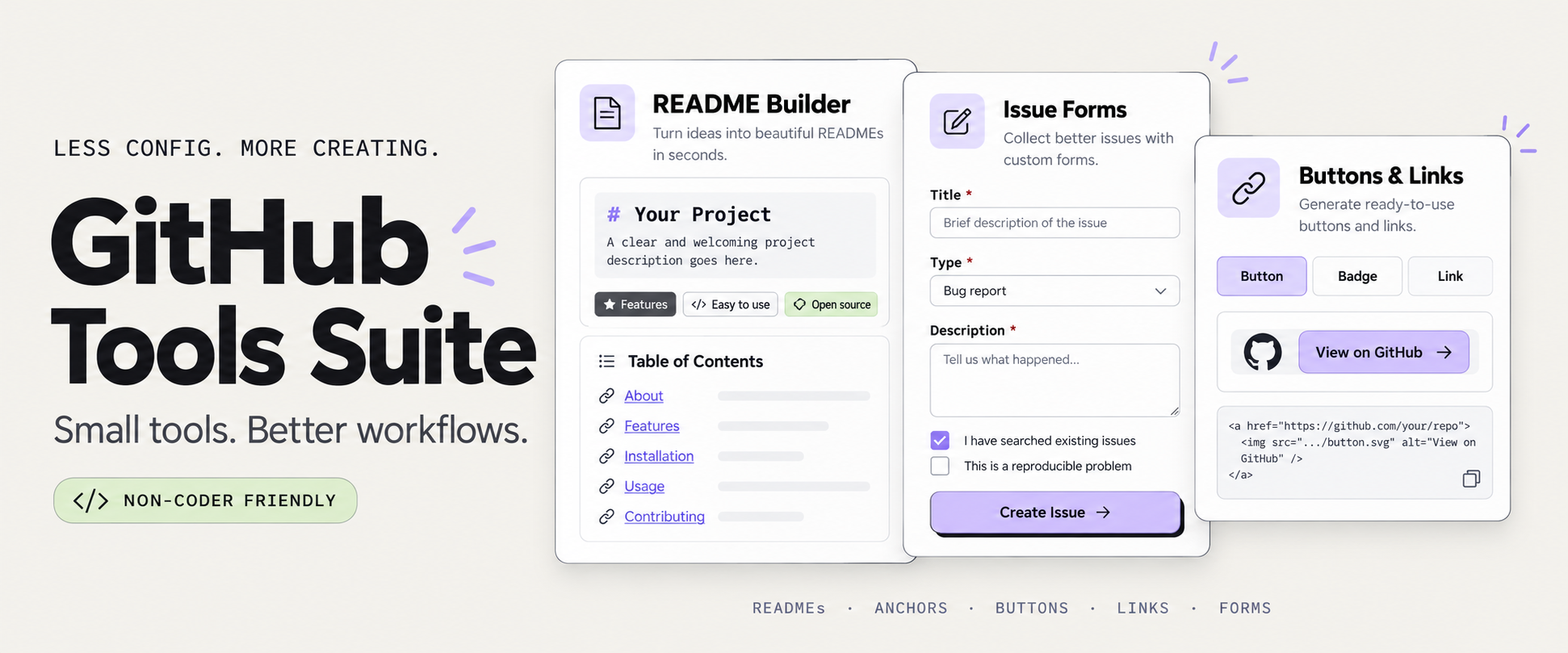
A collection of lightweight, browser-based GitHub tools designed for non-coders, indie devs, documentation nerds, and anyone tired of repetitive GitHub busywork.
Built as standalone static pages with a bold neo-brutalist interface. No install. No backend. Just open and use.
👉 https://monapdx.github.io/Github-Tools/
Generate clean table-of-contents sections and anchor links from any README.
Create GitHub-style shields.io badges, buttons, and markdown snippets.
Generate deep GitHub URLs for repos, issues, templates, commits, compare views, files, and more.
Visualize the most common topics used across a GitHub profile.
Create custom GitHub issue forms without writing YAML. Build your form visually, preview the questions, then download the .yml file or copy the generated YAML directly into your repository.
Add text inputs, longer answer fields, dropdown menus, checkboxes, and instructional text. Customize labels, descriptions, placeholders, and required fields to collect the information you actually need.
Use it to create bug report templates, feature request forms, support questionnaires, or something beyond software development: resource submissions, guest post pitches, partnership inquiries, applications, and community contributions.
- Give your form a name and description.
- Add and customize your fields, or start with an example.
- Preview your form as you build it.
- Download the YAML file or copy its contents.
- Add the file to your repository’s
.github/ISSUE_TEMPLATE/folder on its default branch.
Your form will appear in the repository’s issue template chooser. When someone submits it, GitHub creates an issue containing their answers.
- Visual form builder: Assemble your questions without editing YAML by hand.
- Customizable fields: Add text inputs, textareas, dropdowns, checkboxes, and Markdown instructions.
- Required answers: Mark essential questions as required.
- Live preview: See how your questions fit together before exporting.
- Starter examples: Begin with an existing form and adapt it to your needs.
- YAML export: Download a
.ymlfile or copy the code into GitHub. - Browser draft saving: Return to your draft in the same browser.
- No installation: Use the generator directly in your browser.
Markdown issue templates provide editable text for people to fill in. GitHub issue forms use YAML to define a structured form with individual fields, dropdowns, checkboxes, and required answers.
This generator helps you create the YAML version without learning the syntax.
Open the GitHub Issue Form Generator
Part of GitHub Tools, a collection of free browser-based utilities for creating issue forms, README tables of contents, badges, links, and Markdown.
Assemble reusable markdown blocks for READMEs, profiles, dashboards, and documentation.
- Fully static GitHub Pages site
- Browser-only tools (no backend)
- Beginner-friendly workflows
- Neo-brutalist UI styling
- Lightweight and fast
- Easy to fork, remix, or self-host
- HTML
- CSS
- Vanilla JavaScript
- GitHub Pages
GitHub can feel overly technical and intimidating.
This project focuses on making common GitHub workflows easier, more visual, and more approachable — especially for non-traditional developers, writers, artists, hobbyists, and AI-assisted builders.

A collection of lightweight, browser-based GitHub tools designed for non-coders, indie devs, documentation nerds, and anyone tired of repetitive GitHub busywork.
Built as standalone static pages with a bold neo-brutalist interface. No install. No backend. Just open and use.
👉 https://monapdx.github.io/Github-Tools/
Generate clean table-of-contents sections and anchor links from any README.
Create GitHub-style shields.io badges, buttons, and markdown snippets.
Generate deep GitHub URLs for repos, issues, templates, commits, compare views, files, and more.
Visualize the most common topics used across a GitHub profile.
Create custom GitHub issue forms without writing YAML. Build your form visually, preview the questions, then download the .yml file or copy the generated YAML directly into your repository.
Add text inputs, longer answer fields, dropdown menus, checkboxes, and instructional text. Customize labels, descriptions, placeholders, and required fields to collect the information you actually need.
Use it to create bug report templates, feature request forms, support questionnaires, or something beyond software development: resource submissions, guest post pitches, partnership inquiries, applications, and community contributions.
- Give your form a name and description.
- Add and customize your fields, or start with an example.
- Preview your form as you build it.
- Download the YAML file or copy its contents.
- Add the file to your repository’s
.github/ISSUE_TEMPLATE/folder on its default branch.
Your form will appear in the repository’s issue template chooser. When someone submits it, GitHub creates an issue containing their answers.
- Visual form builder: Assemble your questions without editing YAML by hand.
- Customizable fields: Add text inputs, textareas, dropdowns, checkboxes, and Markdown instructions.
- Required answers: Mark essential questions as required.
- Live preview: See how your questions fit together before exporting.
- Starter examples: Begin with an existing form and adapt it to your needs.
- YAML export: Download a
.ymlfile or copy the code into GitHub. - Browser draft saving: Return to your draft in the same browser.
- No installation: Use the generator directly in your browser.
Markdown issue templates provide editable text for people to fill in. GitHub issue forms use YAML to define a structured form with individual fields, dropdowns, checkboxes, and required answers.
This generator helps you create the YAML version without learning the syntax.
Open the GitHub Issue Form Generator
Part of GitHub Tools, a collection of free browser-based utilities for creating issue forms, README tables of contents, badges, links, and Markdown.
Assemble reusable markdown blocks for READMEs, profiles, dashboards, and documentation.
- Fully static GitHub Pages site
- Browser-only tools (no backend)
- Beginner-friendly workflows
- Neo-brutalist UI styling
- Lightweight and fast
- Easy to fork, remix, or self-host
- HTML
- CSS
- Vanilla JavaScript
- GitHub Pages
GitHub can feel overly technical and intimidating.
This project focuses on making common GitHub workflows easier, more visual, and more approachable — especially for non-traditional developers, writers, artists, hobbyists, and AI-assisted builders.
MIT
Stashed changes