





Inspect your rig. Plan a tone. Apply with intent.
A local-first, schema-aware HeadRush CLI for players, automation, and AI agents.
Quick start · AI workflow · CLI reference · API research · 한국어 안내
Independent & unofficial. This project is not affiliated with, endorsed by, or supported by HeadRush or inMusic. HeadRush and related product names belong to their respective owners. Tested hardware: Flex Prime; compatibility with other models is not claimed.
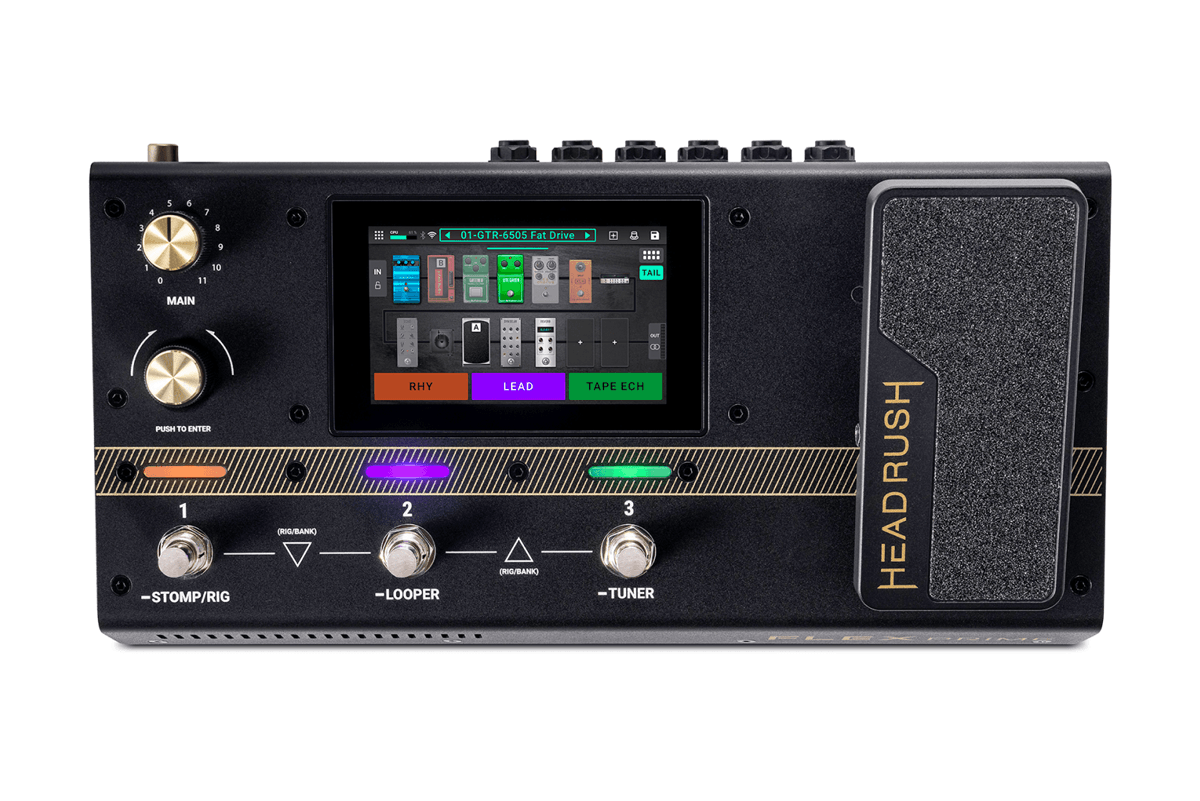
Flex Prime product photograph hosted by HeadRush. Image rights remain with the manufacturer. Hardware shown for identification; no endorsement implied.
headrush-cli talks to the device's local Remote Editor API. It reads the actual schemas, model names, and parameter metadata before building changes. No guessed knobs, no cloud account required for core local control, and no bundled AI service.
| Capability | What you get |
|---|---|
| Explore | Objects, schemas, current values, categories, model selectors, and preset names |
| Edit in display units | Use the device's numeric conversion curves instead of guessing normalized values |
| Build ordered tone plans | Assign blocks, select models, then configure dependent controls |
| Guard your changes | Dry-run defaults, baseline checks, pre-write backups, journals, and readback |
| Automate with JSON | Structured success/error output for scripts and external AI agents |
| Work offline | Inspect snapshots and run portable tests without a connected pedal |
Requirements: Python 3.10+, a Flex Prime with Remote Editor enabled, and a computer that can reach it on your trusted local network.
Install with uv:
uv tool install git+https://github.com/kungbi/headrush-cli.gitOr with pipx:
pipx install git+https://github.com/kungbi/headrush-cli.gitStart with read-only inspection:
headrush info
headrush categories
headrush models Amp
headrush models Reverb
headrush models --path /Evil/Engine/Patch/Amp
headrush get /Evil/Engine/Patch/Amp --details
The default address is http://headrushflexprime.local. If name resolution does not work, use the current IP shown by your device:
headrush --host http://DEVICE_IP infoGlobal flags such as --host and --offline go before the subcommand. An object existing in the API does not mean it is assigned to the audible chain; inspect /Evil/Engine/Patch/Chain before editing.
This example sets the HeadRush Amp object's Bass to 38 display units. It does not select an amp, insert a block, or save a rig.
# 1. Capture a fresh baseline. Choose a new filename each time.
headrush snapshot before.json

# 2. Preview only — this does not modify the device.
headrush set /Evil/Engine/Patch/Amp '{"Bass":38}' --mode display

# 3. Explicitly apply, with a baseline and a separate change backup.
headrush set /Evil/Engine/Patch/Amp '{"Bass":38}' \
  --mode display --apply \
  --baseline before.json --backup bass-change.json

# 4. Inspect the actual parameter readback.
headrush get /Evil/Engine/Patch/Amp --details
To request a scoped restore:
headrush restore bass-change.json
headrush restore bass-change.json --apply --backup bass-undo.json
Restore is not a factory reset or a full rig-image restore. It checks that the relevant state still matches the completed change. If you have edited the rig since then, it can refuse rather than overwrite newer work.
Tell your AI agent:
Inspect my current rig and propose a bright, gritty indie-rock tone. Use only models and parameters the device actually exposes. Back up first, show the changes, and do not apply or save anything until I approve.
The workflow is:
Inspect → resolve real models → generate ordered JSON → plan → approve → apply → read back.
The AI writes a tone.json document with version, rig.loadedID, and ordered operations. The CLI validates the document; it does not contain an LLM or turn a text prompt into a tone by itself.
headrush tone validate tone.json
headrush tone plan tone.json --baseline before.json --output plan.json
headrush tone apply plan.json                         # preview
headrush tone apply plan.json --apply --backup tone-change.json
Model selection and model-dependent knobs must be separate operations. The CLI refreshes metadata between them; controls that cannot yet be checked are explicitly marked as deferred. See the exact document format.
The repository includes the portable headrush-local-cli skill: a playbook for real-schema discovery, tone planning, approval, backup, readback, and scoped restoration. It is separate from the CLI and does not bundle an LLM or authorize device changes.
After installing the CLI, review the skill file, then install it in Hermes Agent:
hermes skills install https://raw.githubusercontent.com/kungbi/headrush-cli/main/skills/headrush-local-cli/SKILL.md
hermes skills list
hermes --skills headrush-local-cli
In the Hermes chat (not your shell), invoke it explicitly:
/headrush-local-cli Inspect my current rig and propose an indie-rock tone. Do not apply or save anything yet.
Using a named profile? Add --profile YOUR_PROFILE before skills install, skills list, or --skills; install and use the skill in the same profile. Keep existing customized skills backed up rather than overwriting them blindly. Start a new session if a newly installed skill is not visible.
Other Agent Skills-compatible hosts can register the same SKILL.md using their own documented mechanism. Their integration is not independently verified here. The agent's execution environment must have the CLI and local-network access to the pedal.
One observed Flex Prime / GUI AppVersion 5.2.0.2a405ee exposed:
| Observed surface | Count |
|---|---|
| API objects / property schemas / methods | 292 / 7,850 / 100 |
| Visible block categories traversed | 19 |
| HeadRush / ReValver amp selector options | 53 / 48 |
| HeadRush / ReValver cabinet selector options | 15 / 67 |
| Reverb-category blocks | 8 |
| Preset-name entries, including repeated instances | 2,243 |
These are capture-specific observations, not universal support guarantees. Preset names are not preset contents, and method discovery does not mean every mutating method was executed.
- Historical local verification passed 65 tests, plus conversion checks against the device web editor's JavaScript.
- Hardware checks exercised inactive amp/reverb edits, readback, and restoration of the explicitly changed properties.
- A model-selection round trip left the device's dirty flag set. Reloading the saved rig cleared it but reset some inactive-block caches. That is not claimed as lossless full-state restoration.
- The clean public checkout passes 55 portable tests; 19 optional private-capture tests are explicitly skipped without local evidence. With the original local capture present, all 74 tests pass. Synthetic fixtures are labelled as such and are not hardware evidence.
See verification and limitations, the API inventory notes, and numeric conversion analysis.
- No implicit save. Normal tone editing does not save, overwrite, or delete stored rigs.
- No blind method execution. Only an exact reviewed read-method allowlist runs automatically. Other RPCs need explicit unsafe authorization, rig identity, and backup.
- No complete rollback promise. Selector side effects, dirty flags, internal DSP state, and file operations may not be fully recoverable.
- No concurrent editing. Avoid changing the same rig from the pedal or browser while applying a plan. The API does not provide atomic transactions.
- Local network only. Do not expose the device editor or its HTTP API to the internet.
- Backups stay private. Raw captures may include personal rig names, identifiers, and file libraries. They are intentionally excluded from this repository.
git clone https://github.com/kungbi/headrush-cli.git
cd headrush-cli
uv venv
uv pip install -e .
uv run python -m unittest discover -s tests -v
The portable suite does not require hardware. The live smoke scripts are opt-in experiments; do not run their --apply mode against a rig you cannot afford to recover manually. Raw vendor bundles and captured device data are not distributed. Research replay and literal-JS comparison require your own matching local evidence.
| Guide | Purpose |
|---|---|
| 한국어 사용 안내 | AI와 함께 톤을 조회·계획·수정하는 순서 |
| Agent skill 설치·사용법 | Hermes 설치, 프로필 선택, 호출 방법과 요청 예시 |
| Skill source | Portable agent workflow and safety instructions |
| CLI reference | Commands, tone JSON, guards, and restore semantics |
| API research | Routes, method coverage, categories, and model identity |
| Public reference data | Whitelisted model and API metadata; no personal rig values |
| Normalization | Display/wire conversions and boundary behavior |
| Verification | What was tested, what failed, and what remains unproven |
Built by kungbi. Community tooling, not an official HeadRush release. The header is original project artwork; its terminal commands illustrate a workflow, not captured execution output.